Introduction
Optical Character Recognition (OCR) has evolved from simple text scanning into an important part of modern AI-powered document processing. Businesses now use OCR to transform scanned PDFs, invoices, receipts, forms, identity documents, contracts, and images into machine-readable information that can be searched, analyzed, classified, and connected to automated workflows.
For developers, choosing the right OCR SDK is about more than recognition accuracy. Factors such as document structure, handwriting support, APIs, programming languages, deployment options, scalability, security, preprocessing, and structured data extraction can significantly affect the success of an application.
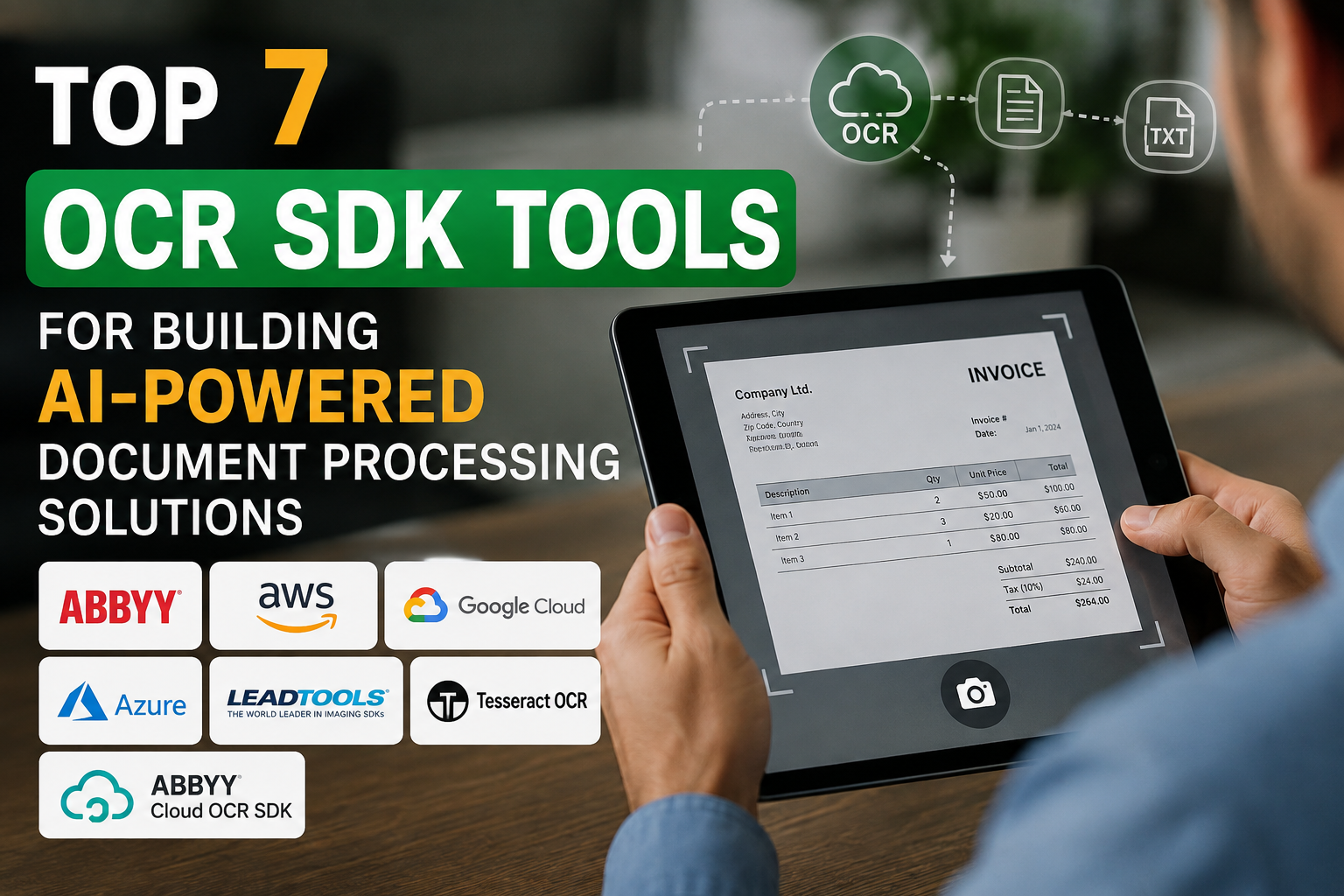
This guide explores top 7 OCR SDK tools for building AI-powered document processing solutions, with a focus on what each platform does best and which type of project it may suit.
What Is an OCR SDK?
An OCR SDK is a software development kit that allows developers to integrate text recognition and document-processing capabilities into their own applications.
Instead of manually reading a scanned document, an OCR SDK can identify characters, words, lines, tables, fields, and other document elements and return the results in a format that software can process.
Modern OCR solutions increasingly combine OCR with machine learning and document understanding. Google Document AI, for example, provides processors for OCR, form parsing, layout parsing, classification, and extraction.
How to Choose an OCR SDK
Before selecting an SDK, developers should evaluate several important areas:
- Recognition accuracy: How well does it handle clean scans, poor-quality images, and complex layouts?
- Handwriting recognition: Important for forms and documents containing handwritten information.
- Table and form extraction: Useful for invoices, applications, financial documents, and reports.
- Programming support: Check whether the SDK supports your preferred programming language and framework.
- Deployment: Cloud, on-premises, mobile, desktop, server, or hybrid deployment may be required.
- Scalability: The solution should handle your expected document volume.
- AI capabilities: Look for classification, field extraction, layout understanding, and custom models where needed.
- Security: Sensitive documents may require specific storage, processing, and deployment controls.
Top 7 OCR SDK Tools
1. ABBYY FineReader Engine
ABBYY FineReader Engine is a strong choice for developers who need advanced OCR and document conversion capabilities. ABBYY provides SDK technology designed for integration into applications and supports deployment in cloud and virtual environments as well as on-premises scenarios.
One of its important strengths is image preprocessing. The SDK can perform operations such as deskewing, rotation correction, and noise reduction before recognition, which can improve results when source documents are not perfectly scanned.
Best for: Enterprise applications, document digitization, multilingual OCR, and organizations that need flexible deployment.
2. Amazon Textract
Amazon Textract is a managed AWS service that goes beyond basic OCR by extracting text, handwriting, tables, forms, and other document information. AWS documentation also provides SDK examples and APIs for integrating Textract into applications.
Developers can use Textract for document analysis, invoices and receipts, identity documents, lending workflows, and customized queries. Its document-analysis capabilities can return key-value pairs, tables, selection elements, and other structured information.
Best for: Developers already building applications on AWS and teams that need scalable cloud document processing.
3. Google Cloud Document AI
Google Cloud Document AI is designed specifically for document understanding rather than simple text recognition. The platform transforms unstructured document information into structured data and provides APIs and client libraries for application development.
Its processor ecosystem includes OCR, form parsing, layout parsing, invoice processing, expense processing, classification, and custom extraction options. Google also documents Enterprise Document OCR for extracting printed and handwritten text from documents in more than 200 languages.
This makes Document AI particularly interesting for applications where OCR is only the first step and the final objective is structured document understanding.
Best for: Enterprise document processing, structured extraction, Google Cloud applications, and multilingual workloads.
4. Microsoft Azure AI Document Intelligence
Microsoft’s document-processing ecosystem provides OCR and document understanding capabilities through Azure. Its OCR capabilities can extract printed and handwritten text from images and return the recognized information in structured form. Microsoft provides client libraries and REST-based development options.
For developers already using Microsoft Azure, the platform can be convenient because OCR can become part of a broader cloud workflow instead of operating as an isolated service.
Best for: Microsoft-oriented development teams, cloud applications, forms, and document extraction workflows.
5. LEADTOOLS OCR SDK
LEADTOOLS is a particularly useful option when developers want an OCR SDK that can be deployed across multiple environments. Its OCR libraries support platforms including Windows, Linux, macOS, Android, iOS, and web applications. It also provides APIs for technologies such as .NET, C/C++, Java, Objective-C, Swift, and JavaScript.
The SDK includes OCR and ICR capabilities and supports machine-printed and handwritten text. It also provides document preprocessing and recognition of elements such as tables, MRZ, MICR, and OMR.
Best for: Cross-platform applications, enterprise software, imaging systems, and developers who need extensive local SDK capabilities.
6. Tesseract OCR
Tesseract is one of the best-known open-source OCR engines. Unlike fully managed cloud services, it gives development teams more control over where and how OCR processing occurs.
Its open-source model can be attractive for applications where developers need self-hosting or want to avoid dependence on a per-page cloud API. Modern open-source OCR ecosystems also include tools such as Tesseract and PaddleOCR alongside newer AI-based approaches.
The trade-off is that building a production-quality document pipeline may require additional engineering for preprocessing, layout analysis, structured extraction, monitoring, and post-processing.
Best for: Developers who prioritize customization, self-hosting, open-source software, and control over their OCR pipeline.
7. ABBYY Cloud OCR SDK
ABBYY Cloud OCR SDK provides cloud-based OCR capabilities through a web API, allowing applications to send documents for processing without embedding the complete OCR engine locally. ABBYY describes it as a platform-agnostic document-processing service that can be integrated through REST API calls.
The service is useful when a development team wants OCR capabilities through an API-based architecture. ABBYY’s broader document-processing technology also covers OCR, document classification, splitting, extraction, and validation.
Best for: API-first applications and teams that prefer cloud-based OCR integration.
OCR SDK Comparison
| OCR SDK | Best Strength | Deployment Approach | AI Document Processing |
|---|---|---|---|
| ABBYY FineReader Engine | Advanced OCR and preprocessing | Cloud, virtual, on-premises | Strong |
| Amazon Textract | Forms, tables, handwriting | Cloud | Strong |
| Google Document AI | Structured document understanding | Cloud | Very strong |
| Azure AI Document Intelligence | Microsoft ecosystem integration | Cloud | Strong |
| LEADTOOLS | Cross-platform SDK capabilities | Local, server, cloud | Strong |
| Tesseract OCR | Open-source customization | Self-hosted | Requires additional components |
| ABBYY Cloud OCR SDK | API-based OCR | Cloud | Strong |
OCR SDKs vs Traditional OCR Software
Traditional OCR software is often designed for people who want to convert documents manually. An SDK is different because it gives developers the building blocks needed to put OCR inside their own software.
For example, a developer could create a system where a user uploads an invoice, OCR extracts the text, an AI model identifies invoice fields, and the application sends the structured information to an accounting system.
This combination of OCR, AI extraction, validation, and workflow automation is why modern document processing is moving beyond basic text recognition.
How AI Makes OCR More Powerful
OCR answers the question, “What text is present?”
AI-powered document processing can go further by answering questions such as:
- What type of document is this?
- Which field contains the invoice number?
- What is the total amount?
- Which information belongs to a customer?
- Where is the table?
- Which pages belong to the same document?
- What information should be sent to another application?
Google Document AI, for example, organizes processors around digitization, extraction, and classification tasks.
Amazon Textract similarly provides capabilities for tables, forms, queries, invoices, receipts, identity documents, and other document-analysis scenarios.
Common Use Cases for OCR SDKs
OCR SDK technology can support many applications, including:
Invoice Automation
Companies can extract invoice numbers, dates, supplier information, line items, and totals and then send the results into accounting workflows.
Digital Archives
Scanned historical documents can be converted into searchable digital text, making large document collections easier to search.
Banking and Finance
OCR can help process forms, statements, applications, and other financial documents.
Healthcare
Document-processing systems can convert information from forms and scanned records into machine-readable data, subject to appropriate privacy and compliance controls.
Legal Document Processing
OCR can make scanned contracts and case documents searchable and can provide text for downstream classification or AI analysis.
Intelligent Search
Organizations can use OCR to turn image-based PDFs and scanned documents into searchable content for enterprise search or retrieval systems.
Which OCR SDK Should You Choose?
There is no single OCR SDK that is best for every application.
If your organization needs a highly configurable enterprise OCR engine, ABBYY FineReader Engine is worth evaluating. If your architecture already runs heavily on AWS, Amazon Textract provides a natural integration path. Google Cloud users may prefer Google Document AI for its broader document-understanding processor ecosystem.
For Microsoft-based environments, Azure AI Document Intelligence can be a practical choice. Developers looking for extensive cross-platform SDK support can consider LEADTOOLS, while teams requiring self-hosted open-source technology can evaluate Tesseract.
For API-focused OCR applications, ABBYY Cloud OCR SDK is another option to investigate.
Final Thoughts
The top 7 OCR SDK tools for building AI-powered document processing solutions cover very different development strategies. Some focus on cloud APIs and intelligent document understanding, while others provide powerful SDKs for local or cross-platform application development.
The most important step is to test candidate tools against your actual documents. A solution that performs well on clean PDFs may behave differently with low-resolution scans, handwritten forms, tables, rotated pages, mixed languages, or complex layouts.
For modern AI document applications, OCR should therefore be viewed as one layer of a larger pipeline: document capture → preprocessing → OCR → layout understanding → field extraction → validation → workflow automation. Choosing an SDK that fits this complete workflow can help developers build more reliable and scalable document-processing products.
Top 7 OCR SDK Tools for Building AI-Powered Document Processing Solutions
Introduction
Optical Character Recognition (OCR) has evolved from simple text scanning into an important part of modern AI-powered document processing. Businesses now use OCR to transform scanned PDFs, invoices, receipts, forms, identity documents, contracts, and images into machine-readable information that can be searched, analyzed, classified, and connected to automated workflows.
For developers, choosing the right OCR SDK is about more than recognition accuracy. Factors such as document structure, handwriting support, APIs, programming languages, deployment options, scalability, security, preprocessing, and structured data extraction can significantly affect the success of an application.
This guide explores top 7 OCR SDK tools for building AI-powered document processing solutions, with a focus on what each platform does best and which type of project it may suit.
What Is an OCR SDK?
An OCR SDK is a software development kit that allows developers to integrate text recognition and document-processing capabilities into their own applications.
Instead of manually reading a scanned document, an OCR SDK can identify characters, words, lines, tables, fields, and other document elements and return the results in a format that software can process.
Modern OCR solutions increasingly combine OCR with machine learning and document understanding. Google Document AI, for example, provides processors for OCR, form parsing, layout parsing, classification, and extraction. (Google Cloud Documentation)
How to Choose an OCR SDK
Before selecting an SDK, developers should evaluate several important areas:
- Recognition accuracy: How well does it handle clean scans, poor-quality images, and complex layouts?
- Handwriting recognition: Important for forms and documents containing handwritten information.
- Table and form extraction: Useful for invoices, applications, financial documents, and reports.
- Programming support: Check whether the SDK supports your preferred programming language and framework.
- Deployment: Cloud, on-premises, mobile, desktop, server, or hybrid deployment may be required.
- Scalability: The solution should handle your expected document volume.
- AI capabilities: Look for classification, field extraction, layout understanding, and custom models where needed.
- Security: Sensitive documents may require specific storage, processing, and deployment controls.
Top 7 OCR SDK Tools
1. ABBYY FineReader Engine
ABBYY FineReader Engine is a strong choice for developers who need advanced OCR and document conversion capabilities. ABBYY provides SDK technology designed for integration into applications and supports deployment in cloud and virtual environments as well as on-premises scenarios. (ABBYY)
One of its important strengths is image preprocessing. The SDK can perform operations such as deskewing, rotation correction, and noise reduction before recognition, which can improve results when source documents are not perfectly scanned. (ABBYY)
Best for: Enterprise applications, document digitization, multilingual OCR, and organizations that need flexible deployment.
2. Amazon Textract
Amazon Textract is a managed AWS service that goes beyond basic OCR by extracting text, handwriting, tables, forms, and other document information. AWS documentation also provides SDK examples and APIs for integrating Textract into applications. (AWS Documentation)
Developers can use Textract for document analysis, invoices and receipts, identity documents, lending workflows, and customized queries. Its document-analysis capabilities can return key-value pairs, tables, selection elements, and other structured information. (AWS Documentation)
Best for: Developers already building applications on AWS and teams that need scalable cloud document processing.
3. Google Cloud Document AI
Google Cloud Document AI is designed specifically for document understanding rather than simple text recognition. The platform transforms unstructured document information into structured data and provides APIs and client libraries for application development. (Google Cloud Documentation)
Its processor ecosystem includes OCR, form parsing, layout parsing, invoice processing, expense processing, classification, and custom extraction options. Google also documents Enterprise Document OCR for extracting printed and handwritten text from documents in more than 200 languages. (Google Cloud Documentation)
This makes Document AI particularly interesting for applications where OCR is only the first step and the final objective is structured document understanding.
Best for: Enterprise document processing, structured extraction, Google Cloud applications, and multilingual workloads.
4. Microsoft Azure AI Document Intelligence
Microsoft’s document-processing ecosystem provides OCR and document understanding capabilities through Azure. Its OCR capabilities can extract printed and handwritten text from images and return the recognized information in structured form. Microsoft provides client libraries and REST-based development options. (Microsoft Learn)
For developers already using Microsoft Azure, the platform can be convenient because OCR can become part of a broader cloud workflow instead of operating as an isolated service.
Best for: Microsoft-oriented development teams, cloud applications, forms, and document extraction workflows.
5. LEADTOOLS OCR SDK
LEADTOOLS is a particularly useful option when developers want an OCR SDK that can be deployed across multiple environments. Its OCR libraries support platforms including Windows, Linux, macOS, Android, iOS, and web applications. It also provides APIs for technologies such as .NET, C/C++, Java, Objective-C, Swift, and JavaScript. (LEADTOOLS)
The SDK includes OCR and ICR capabilities and supports machine-printed and handwritten text. It also provides document preprocessing and recognition of elements such as tables, MRZ, MICR, and OMR. (LEADTOOLS)
Best for: Cross-platform applications, enterprise software, imaging systems, and developers who need extensive local SDK capabilities.
6. Tesseract OCR
Tesseract is one of the best-known open-source OCR engines. Unlike fully managed cloud services, it gives development teams more control over where and how OCR processing occurs.
Its open-source model can be attractive for applications where developers need self-hosting or want to avoid dependence on a per-page cloud API. Modern open-source OCR ecosystems also include tools such as Tesseract and PaddleOCR alongside newer AI-based approaches. (Unstract.com →)
The trade-off is that building a production-quality document pipeline may require additional engineering for preprocessing, layout analysis, structured extraction, monitoring, and post-processing.
Best for: Developers who prioritize customization, self-hosting, open-source software, and control over their OCR pipeline.
7. ABBYY Cloud OCR SDK
ABBYY Cloud OCR SDK provides cloud-based OCR capabilities through a web API, allowing applications to send documents for processing without embedding the complete OCR engine locally. ABBYY describes it as a platform-agnostic document-processing service that can be integrated through REST API calls. (ABBYY)
The service is useful when a development team wants OCR capabilities through an API-based architecture. ABBYY’s broader document-processing technology also covers OCR, document classification, splitting, extraction, and validation. (ABBYY)
Best for: API-first applications and teams that prefer cloud-based OCR integration.
OCR SDK Comparison
| OCR SDK | Best Strength | Deployment Approach | AI Document Processing |
|---|---|---|---|
| ABBYY FineReader Engine | Advanced OCR and preprocessing | Cloud, virtual, on-premises | Strong |
| Amazon Textract | Forms, tables, handwriting | Cloud | Strong |
| Google Document AI | Structured document understanding | Cloud | Very strong |
| Azure AI Document Intelligence | Microsoft ecosystem integration | Cloud | Strong |
| LEADTOOLS | Cross-platform SDK capabilities | Local, server, cloud | Strong |
| Tesseract OCR | Open-source customization | Self-hosted | Requires additional components |
| ABBYY Cloud OCR SDK | API-based OCR | Cloud | Strong |
OCR SDKs vs Traditional OCR Software
Traditional OCR software is often designed for people who want to convert documents manually. An SDK is different because it gives developers the building blocks needed to put OCR inside their own software.
For example, a developer could create a system where a user uploads an invoice, OCR extracts the text, an AI model identifies invoice fields, and the application sends the structured information to an accounting system.
This combination of OCR, AI extraction, validation, and workflow automation is why modern document processing is moving beyond basic text recognition.
How AI Makes OCR More Powerful
OCR answers the question, “What text is present?”
AI-powered document processing can go further by answering questions such as:
- What type of document is this?
- Which field contains the invoice number?
- What is the total amount?
- Which information belongs to a customer?
- Where is the table?
- Which pages belong to the same document?
- What information should be sent to another application?
Google Document AI, for example, organizes processors around digitization, extraction, and classification tasks. (Google Cloud Documentation)
Amazon Textract similarly provides capabilities for tables, forms, queries, invoices, receipts, identity documents, and other document-analysis scenarios. (AWS Documentation)
Common Use Cases for OCR SDKs
OCR SDK technology can support many applications, including:
Invoice Automation
Companies can extract invoice numbers, dates, supplier information, line items, and totals and then send the results into accounting workflows.
Digital Archives
Scanned historical documents can be converted into searchable digital text, making large document collections easier to search.
Banking and Finance
OCR can help process forms, statements, applications, and other financial documents.
Healthcare
Document-processing systems can convert information from forms and scanned records into machine-readable data, subject to appropriate privacy and compliance controls.
Legal Document Processing
OCR can make scanned contracts and case documents searchable and can provide text for downstream classification or AI analysis.
Intelligent Search
Organizations can use OCR to turn image-based PDFs and scanned documents into searchable content for enterprise search or retrieval systems.
Which OCR SDK Should You Choose?
There is no single OCR SDK that is best for every application.
If your organization needs a highly configurable enterprise OCR engine, ABBYY FineReader Engine is worth evaluating. If your architecture already runs heavily on AWS, Amazon Textract provides a natural integration path. Google Cloud users may prefer Google Document AI for its broader document-understanding processor ecosystem.
For Microsoft-based environments, Azure AI Document Intelligence can be a practical choice. Developers looking for extensive cross-platform SDK support can consider LEADTOOLS, while teams requiring self-hosted open-source technology can evaluate Tesseract.
For API-focused OCR applications, ABBYY Cloud OCR SDK is another option to investigate.
Final Thoughts
The top 7 OCR SDK tools for building AI-powered document processing solutions cover very different development strategies. Some focus on cloud APIs and intelligent document understanding, while others provide powerful SDKs for local or cross-platform application development.
The most important step is to test candidate tools against your actual documents. A solution that performs well on clean PDFs may behave differently with low-resolution scans, handwritten forms, tables, rotated pages, mixed languages, or complex layouts.
For modern AI document applications, OCR should therefore be viewed as one layer of a larger pipeline: document capture → preprocessing → OCR → layout understanding → field extraction → validation → workflow automation. Choosing an SDK that fits this complete workflow can help developers build more reliable and scalable document-processing products.
